How to Disconnect Dtravel from Airbnb
Written By Jayson
Last updated About 1 year ago
If you need to disconnect Dtravel from Airbnb, you will need to do so through Airbnb. We will be adding support within Dtravel soon to disconnect.
Disconnecting Dtravel from Airbnb
We’re using Channex, a channel manager, to connect to Airbnb.
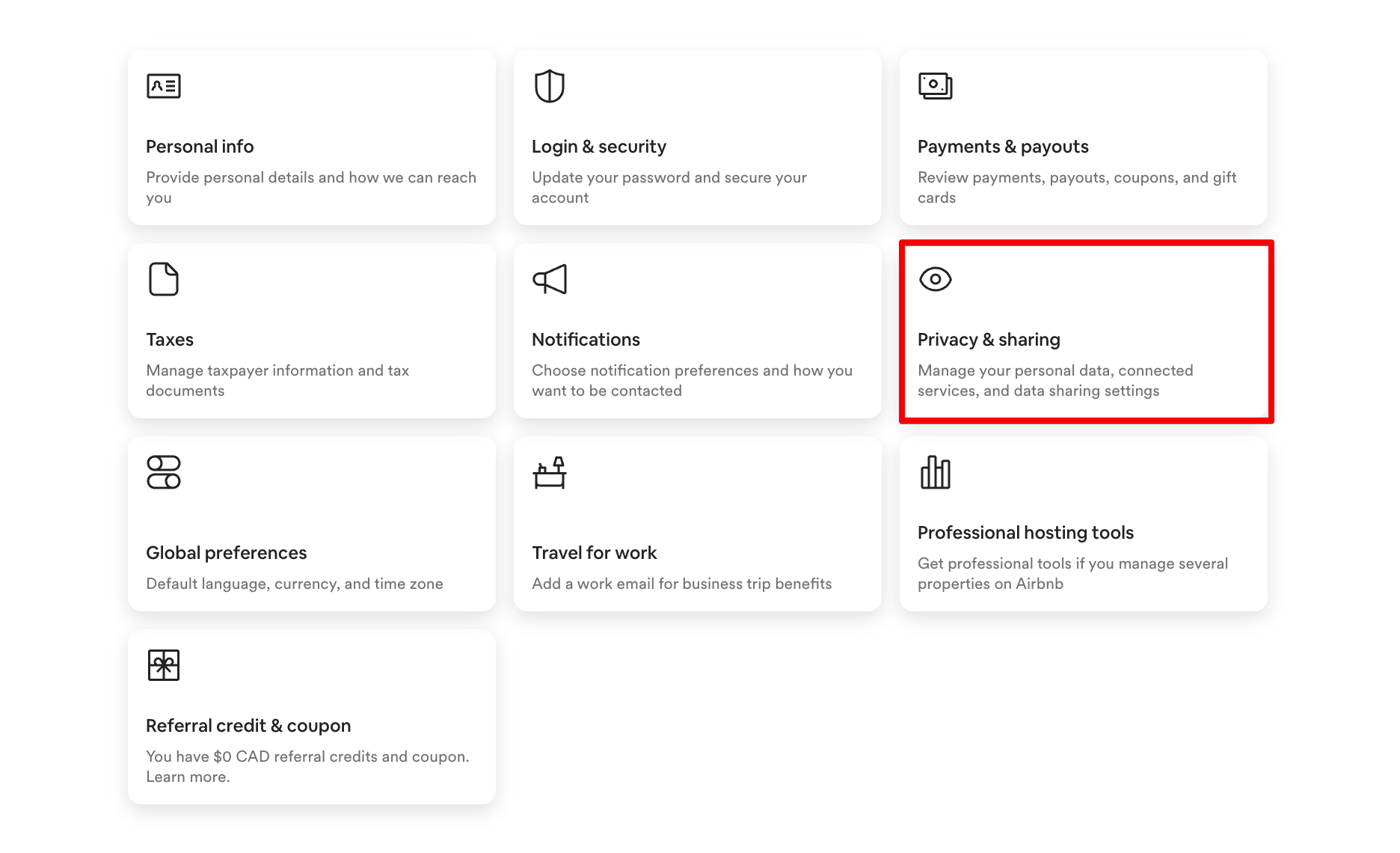
In order to disconnect Dtravel (through Channex), you’ll need to go to your Airbnb account. Under your “account settings”, you’ll see an option for “Privacy & sharing”. Click on this option.
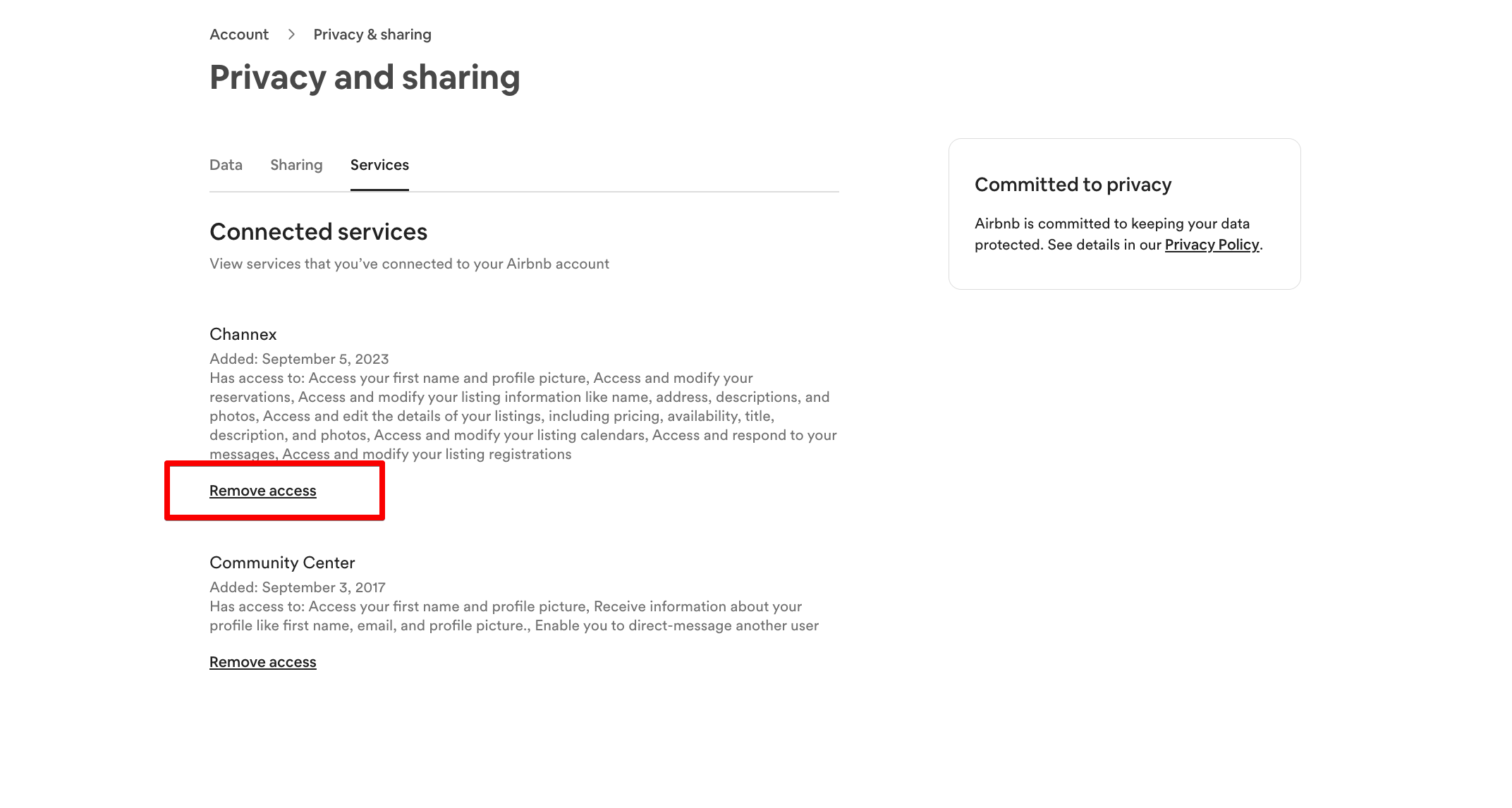
Under the “Privacy and sharing” settings, you’ll see Channex as a connected service. Click on the “Remove access” option do disconnect.
Was this helpful?
Still need help? Ask the team